Breadcrumb Abstract Shape

Theory test driving Germany: How to use the App

The TheoriePLUS app helps you prepare efficiently for the theory test driving Germany requires, with the official questions in English. It is modern, straightforward and works equally well on a phone or a computer.

This visual guide walks you through how to:

  • install the app on your device;
  • sign in with the details you received by email;
  • choose the app language and the language the questions are translated into;
  • select your licence class and the exam version;
  • adjust the settings so studying is more comfortable;
  • practise the questions and track your progress.

Follow the images below and work through each step in order.

Setting up the app

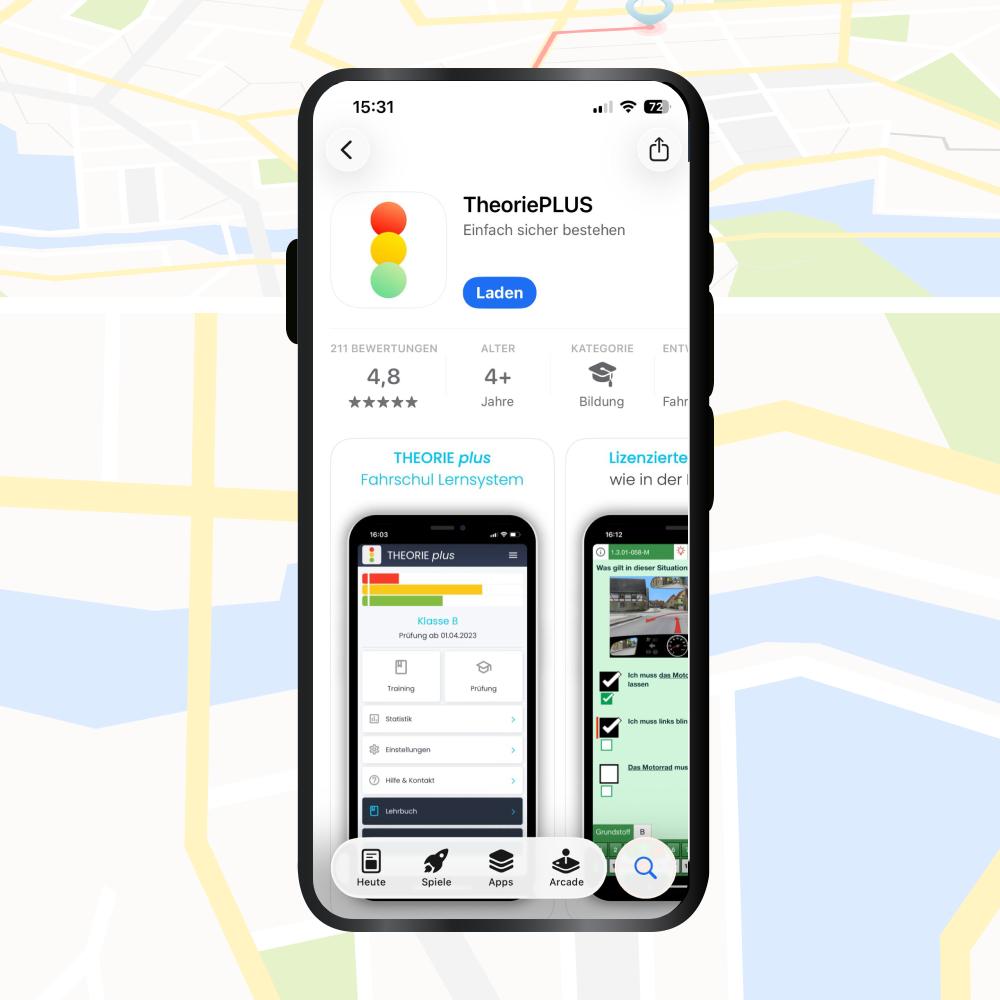
(1/9) Install the app

Download and install the app on your preferred device. It is available for iOS, Android and as a Web App. Use the links in the email we sent you.

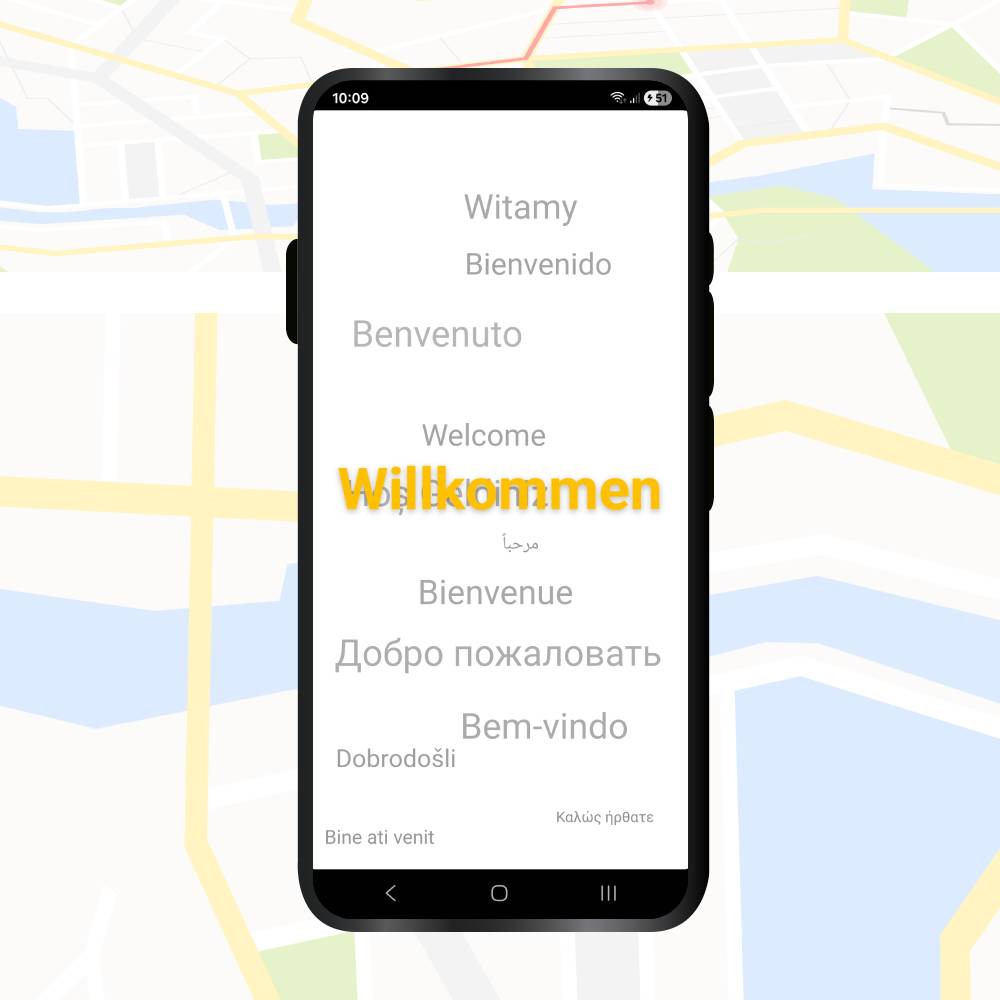
(2/9) Welcome screen

When the app opens, tap through to move on to activation.

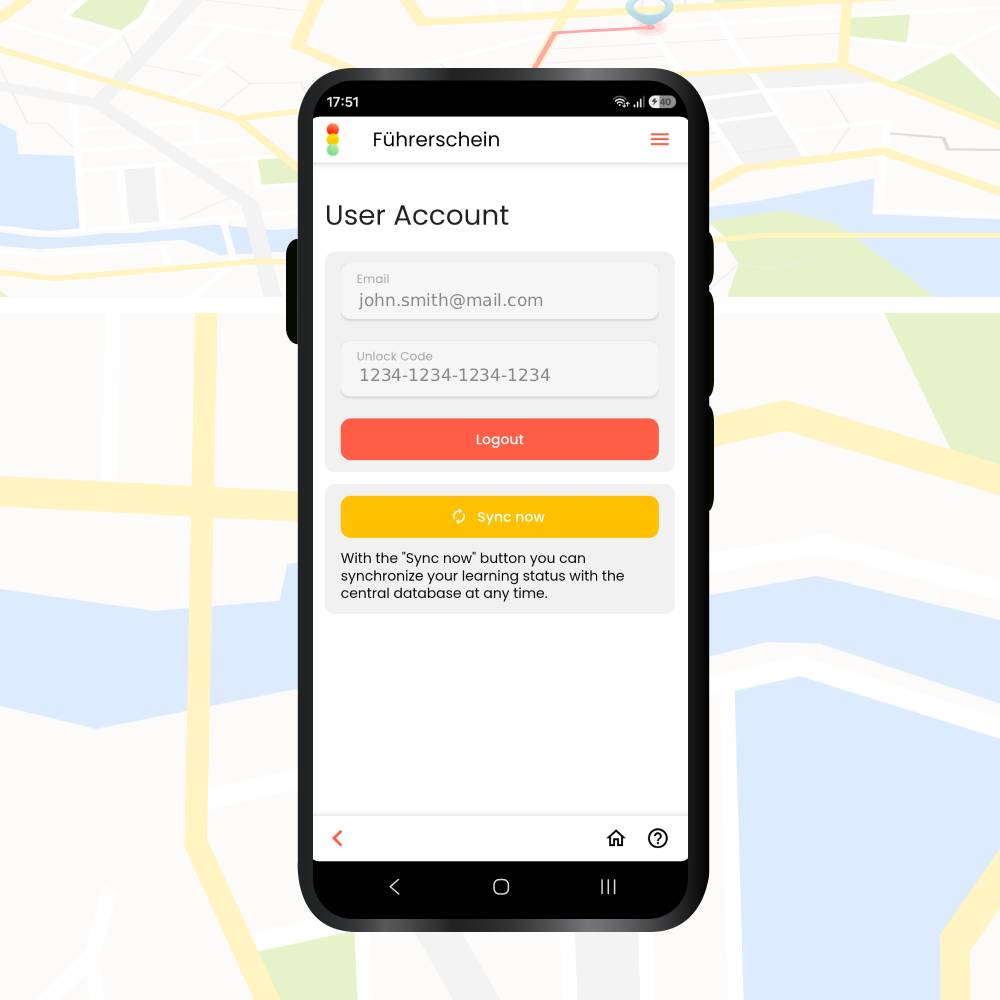
(3/9) Activate your account

Enter your email address and the unique code you received, then press the red button to activate. These details are what give you access.

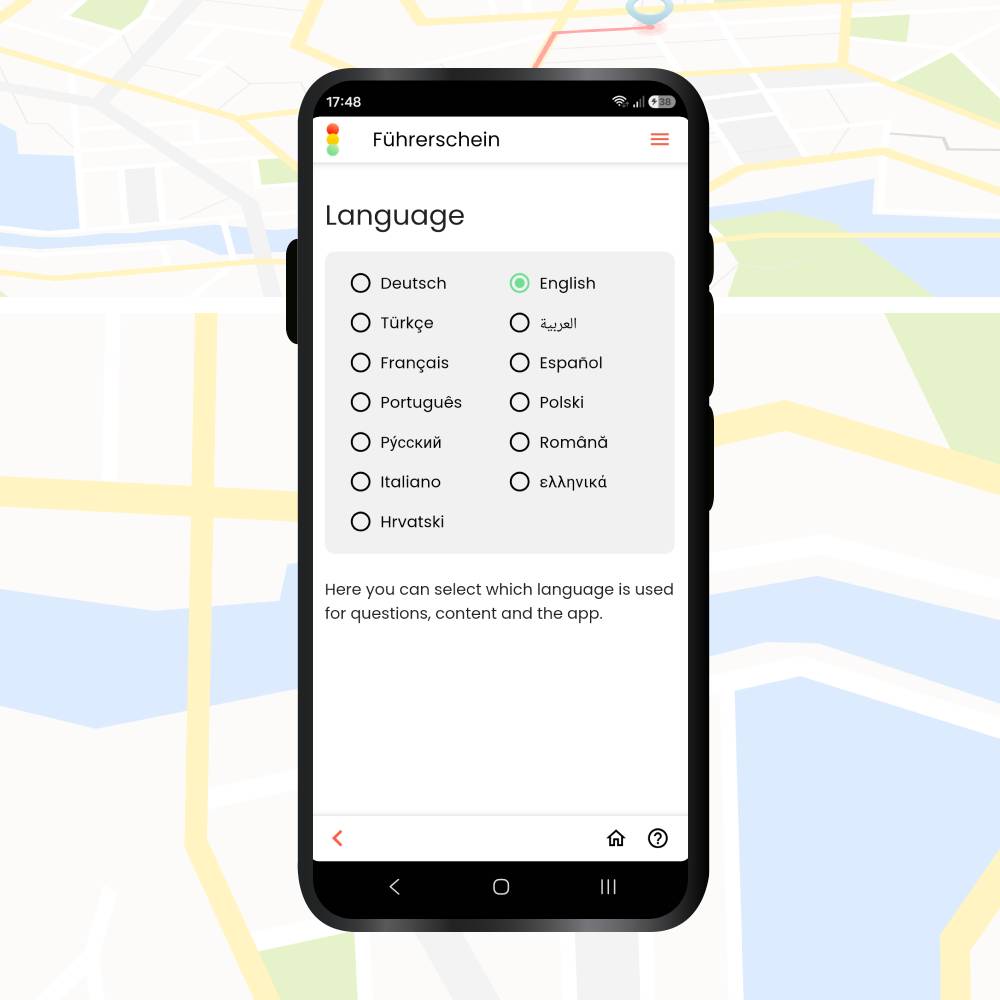
(4/9) Set the languages

Choose the app language and the language the questions are translated into. In our case that is English. You can change it at any time. This is useful if you later want to work through the material in German as well.

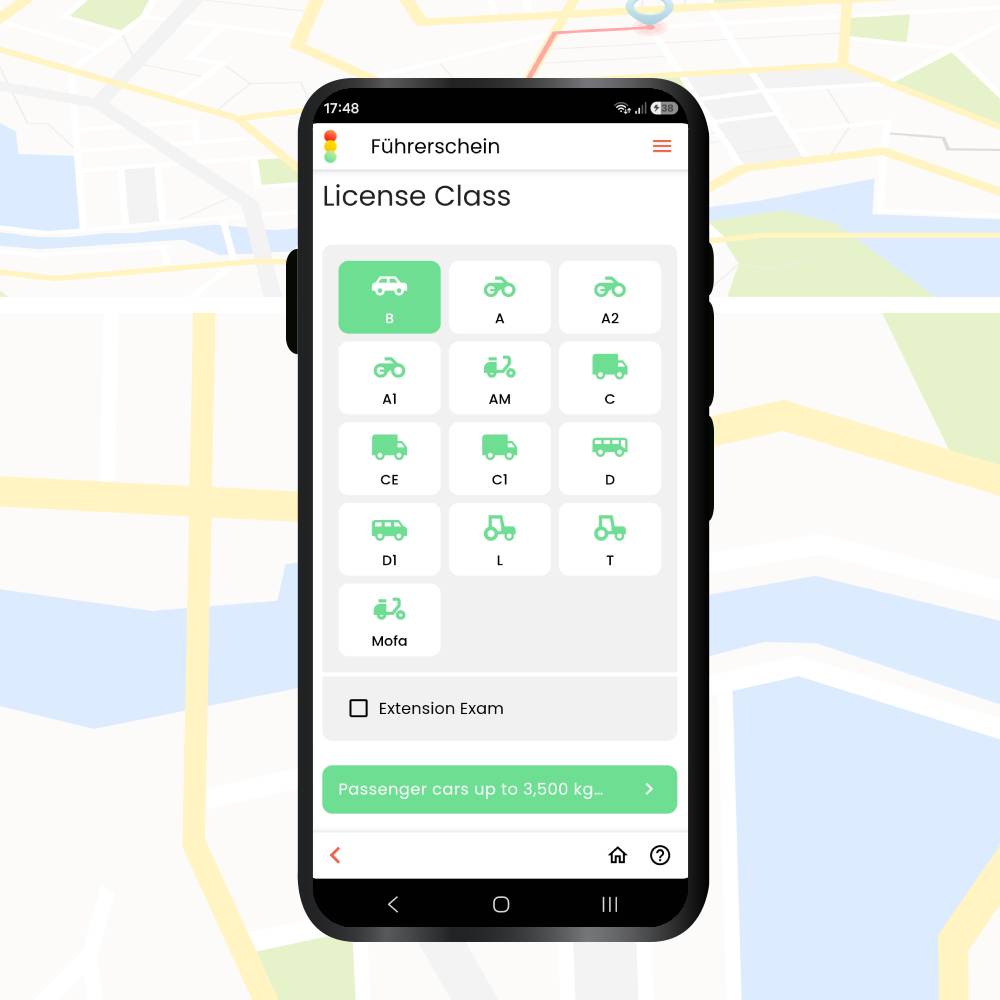
(5/9) Select your licence class

Select the class you need, for example category B.

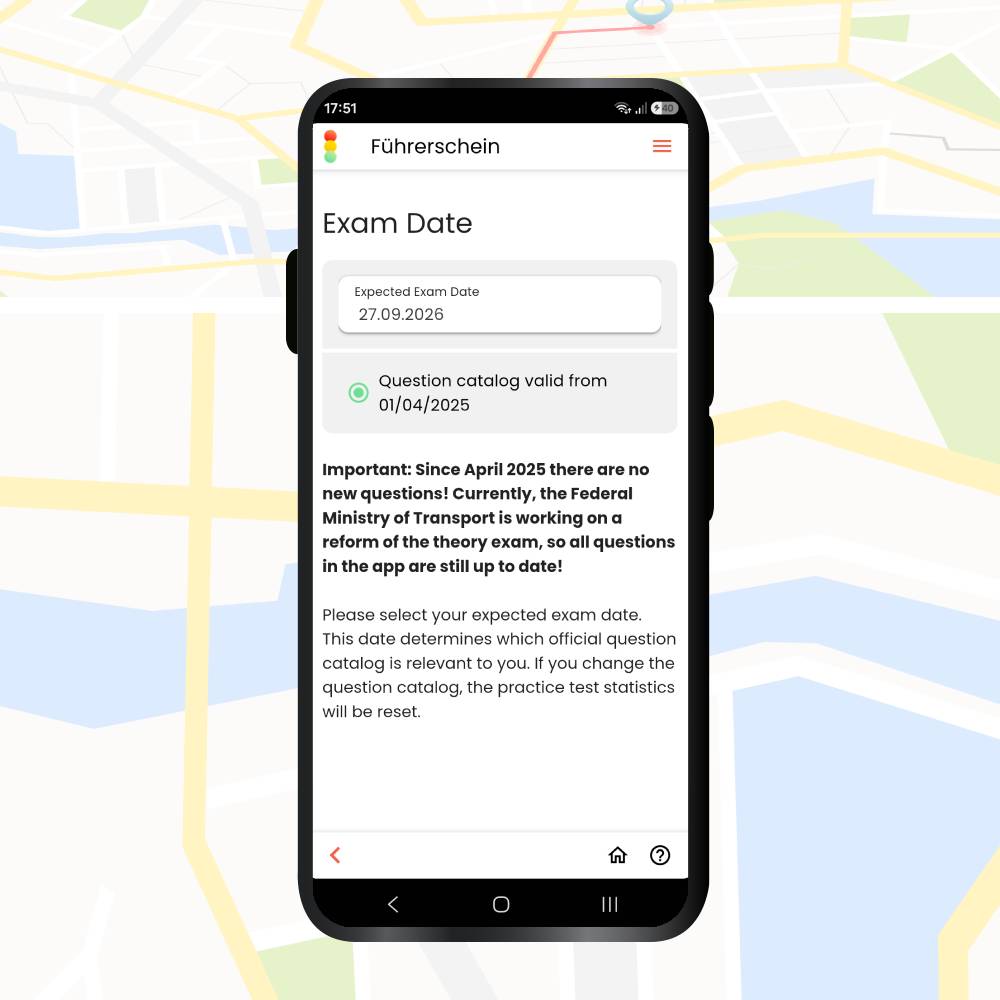
(6/9) Select the exam version

The official questions change twice a year, in April and October. Tick the date you have your exam booked for. If you do not have a date yet, always choose the option furthest in the future, so you get the most recent legal updates.

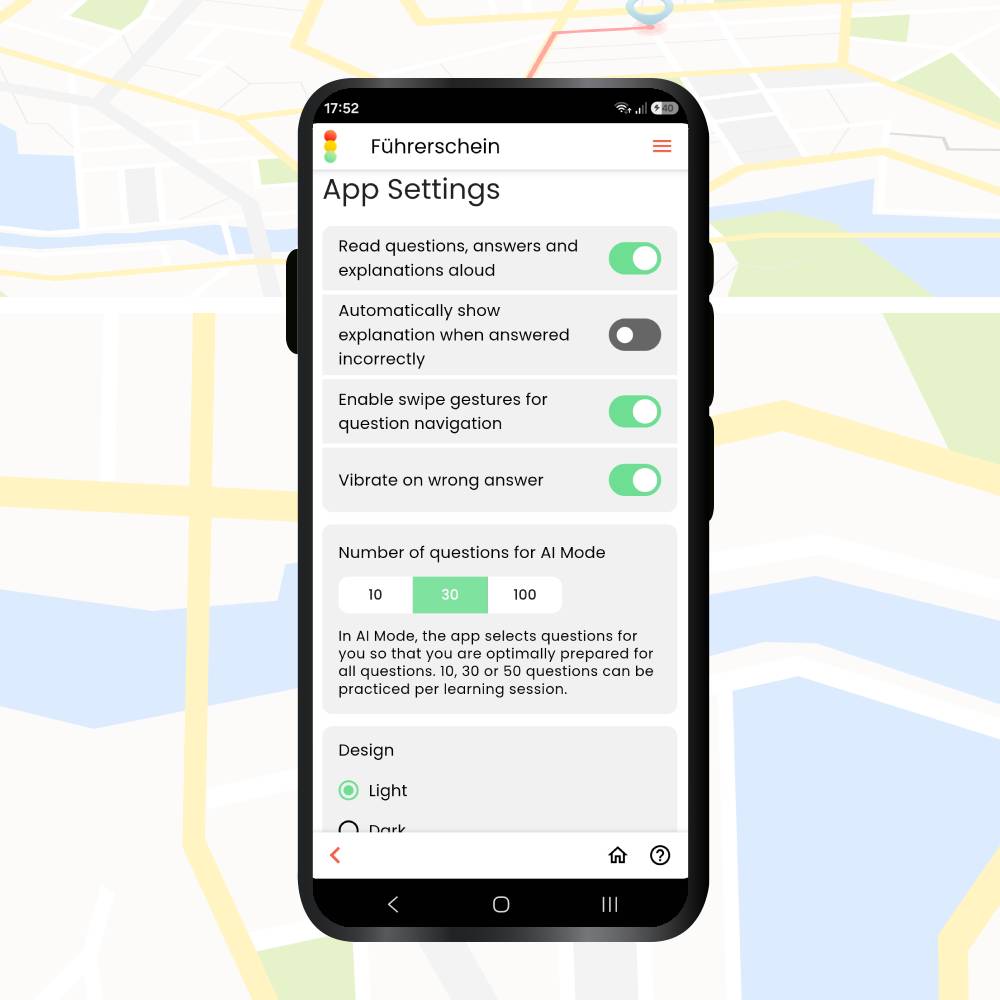
(7/9) App settings

Adjust how the app works:

  1. Vibration on incorrect answers.
  2. Automatically show the explanation when you answer incorrectly.
  3. Read aloud (available in German and English).
  4. Gesture navigation.
  5. Dark mode.

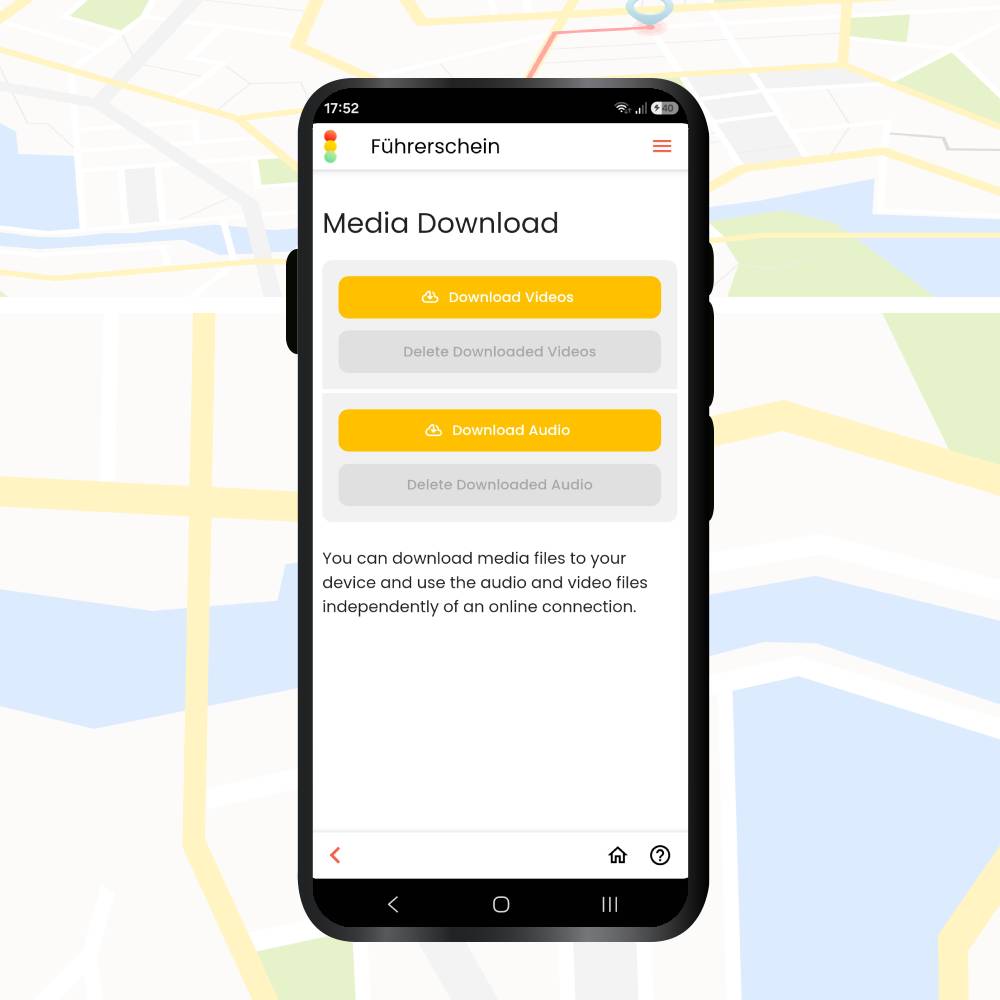
(8/9) Download the videos

You can download all the video material – around 180 MB – so you can practise offline. If you always have an internet connection, press “Weiter/Next” to continue without downloading.

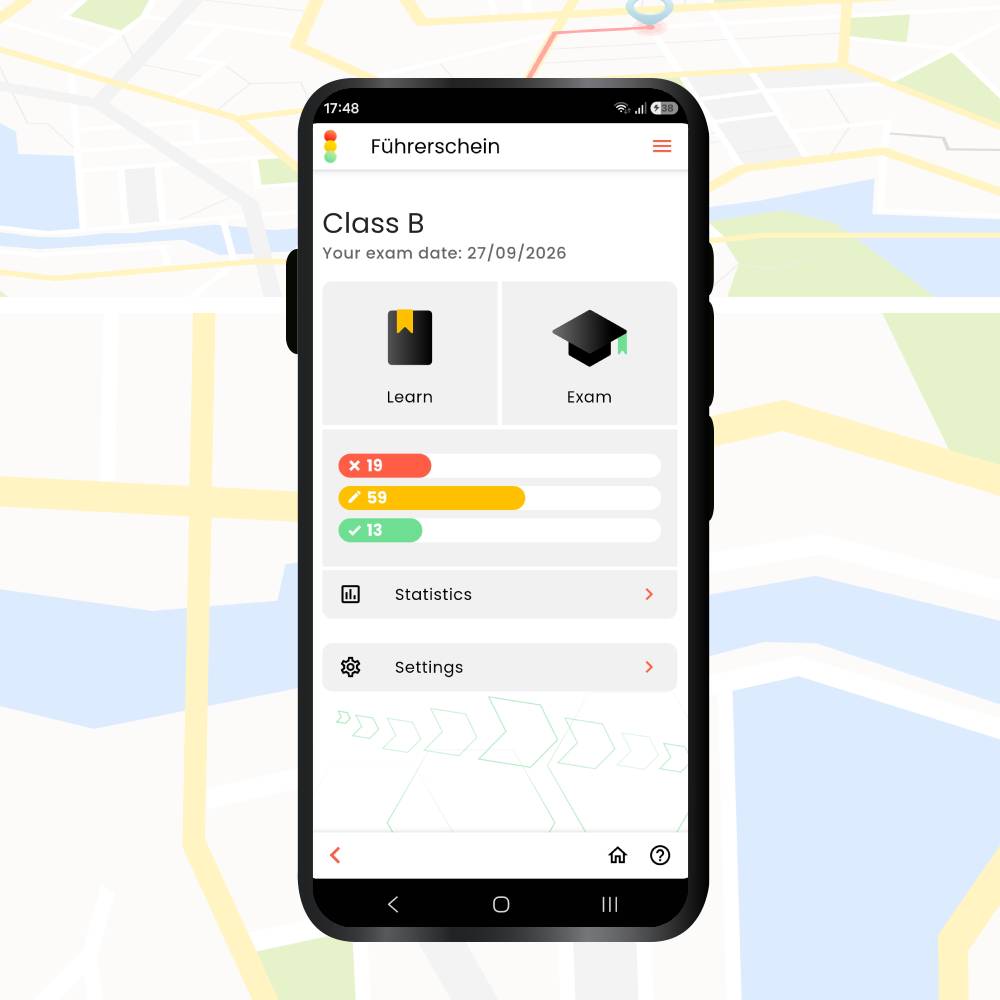
(9/9) Main menu

That is the setup complete. You are now in the main menu, where you can reach everything that matters: practising the questions, tracking your progress and statistics, checking how ready you are with the Prüfungsampel, and much more.

The rest of this guide explains each section of the main menu, so you get the most out of the app.

Main sections and features

Once the app is set up and you are signed in, the next step is to explore the main sections. This is where the app stops being a question bank and starts being a study plan.

Tap the “+” to see the details of each section.

Under Learn you will find the subsections for your daily practice:

  • Lessons – practise questions grouped by the same topics you cover in your theory classes.
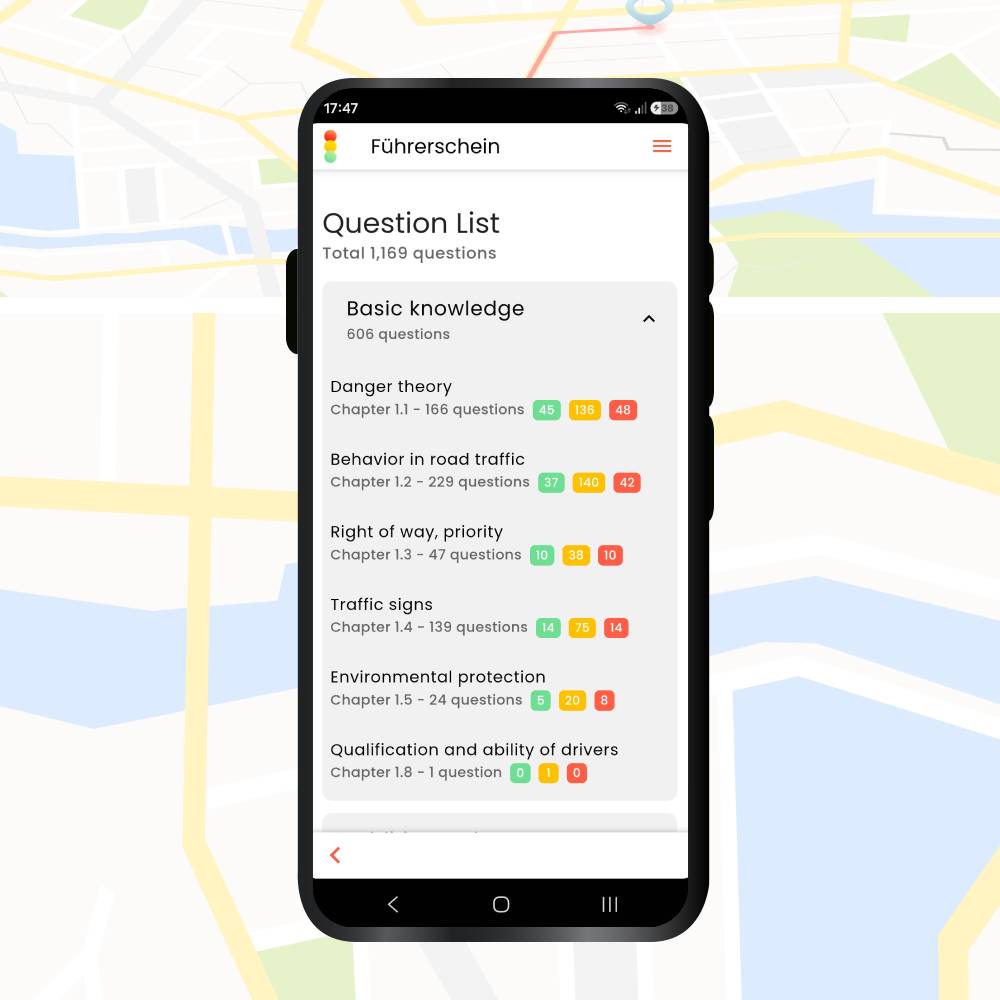
  • Question list – go through all the questions from the 99 tests, both the basic material and the additional material for your class.
  • AI mode – organises your learning so new questions come first, then reappear at gradually longer intervals, using a spaced repetition system that adapts automatically to your exam date.
  • Focus topics – practise specific sets, for example only video questions or only questions about road signs.

    💡 TIP: Save time by practising only the new questions
    Learning only the new questions: if you are already partway through your preparation and the official catalogue is updated (usually in April or October), you do not have to start again. In this section there is always a category called “New questions”, where you can practise only what changed, without wasting time on material you already know.

  • Search questions – find a question by keyword, for example “right of way”.
  • Last errors – review questions you got wrong earlier.
  • Marked questions – questions you marked during tests, for example to discuss in your theory class.
Theory test driving Germany app - learn section

The Prüfungsampel feature: how you know when you are ready

The Prüfungsampel – the exam traffic light – tracks your progress and tells you whether you are ready for the theory test driving Germany requires.

How to get there:

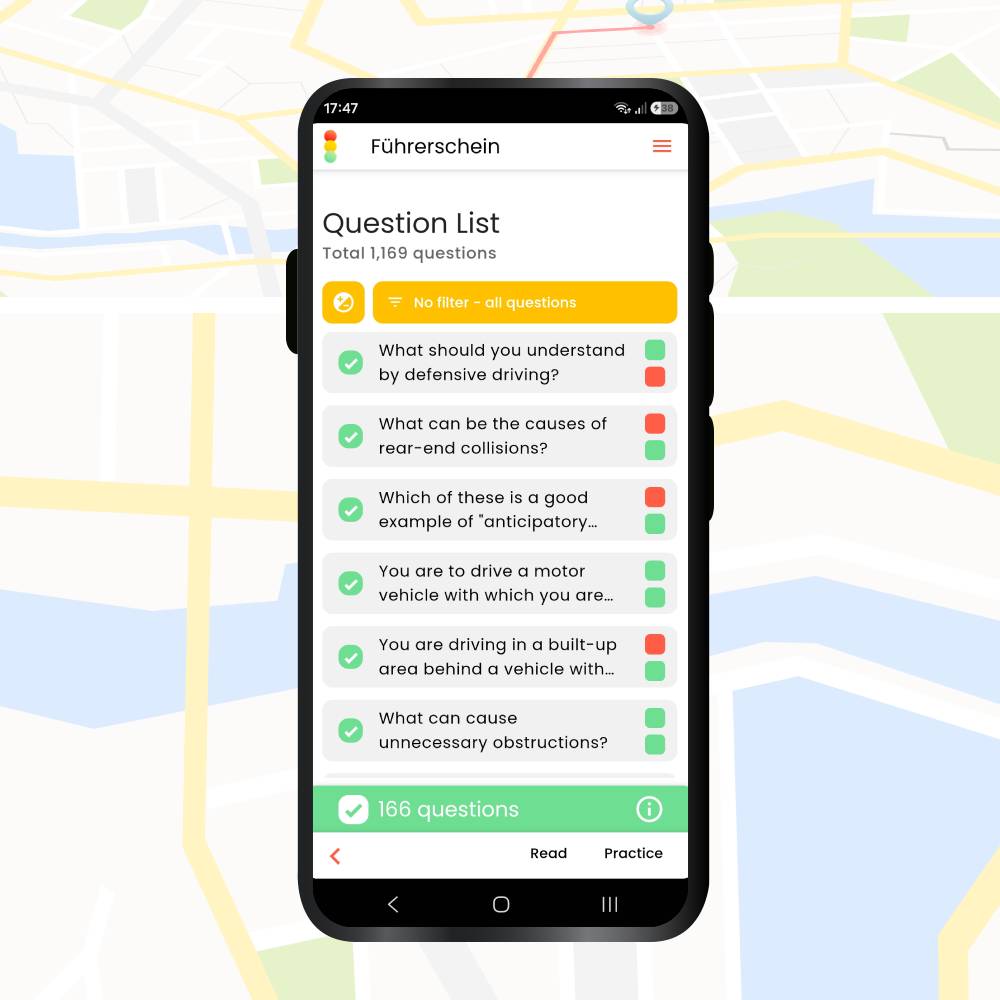
Main menu → Learn → Question list → select a category → tap the green arrow next to the category → Read or Practice (the buttons at the bottom right).

How it works:

  • 2 white dots: you have not attempted this question yet.
  • 2 green dots: you have answered correctly twice in a row.
  • 1 green + 1 red: correct the first time, wrong the second.

Goal: When every question in every test paper has two green dots, you are ready to sit the theory exam.

Under Exam you will find everything you need to prepare for the real exam:

  • Practice tests – view all 99 official tests.
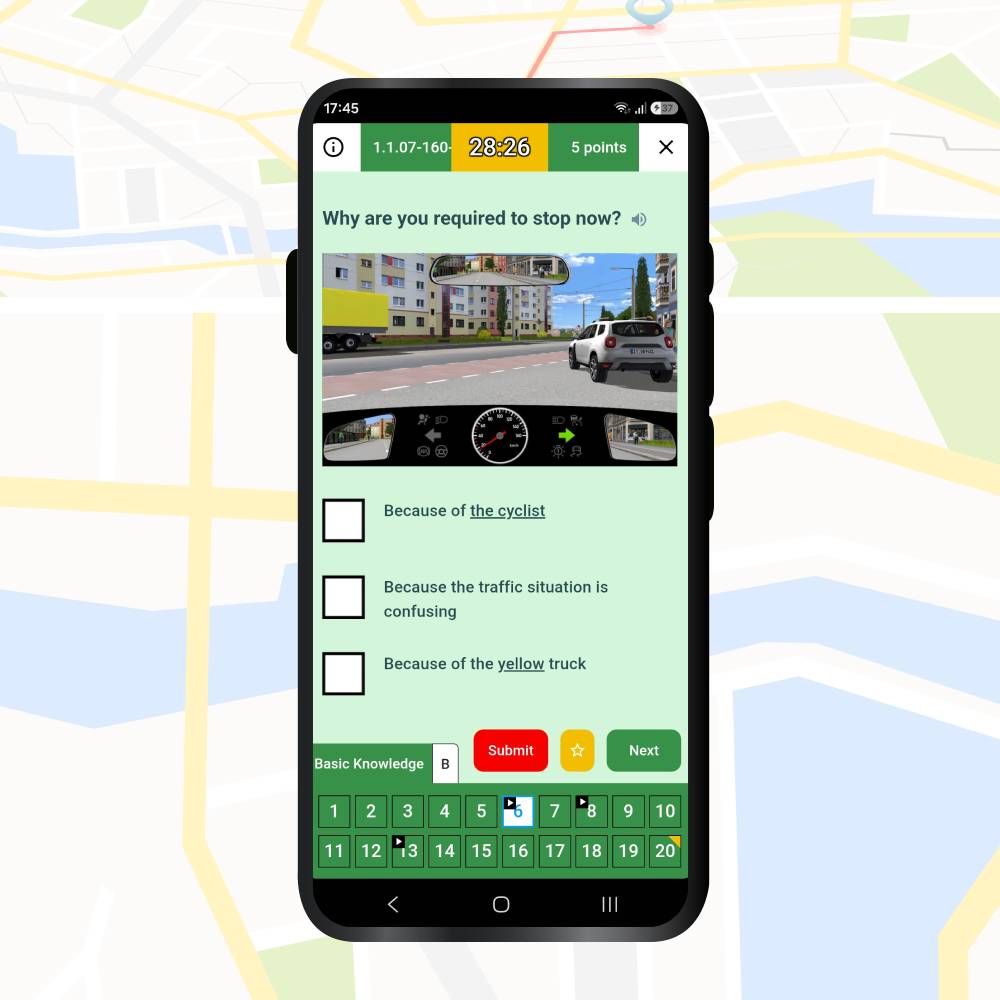
  • Practice Exam– a 30-question test with a 30-minute timer, simulating real exam conditions.
  • Search questions, Last errors & Marked questions – these work the same as in the Learn section.
Theory test driving Germany app - exam section

Practice tests

Once you select a test, three buttons appear:

  • Read – read through the questions and see the correct answers without answering. Tap the red light bulb at the top for the full explanation.
  • Practice – answer every question in the paper. After you press “Solution” following each answer, you get immediate feedback, and the correct solution if you were wrong.
  • Exam – a full simulation of the paper without a timer. The result appears only at the end, once you press Submit.
Theory test driving Germany app - practice tests

Practice exam – the full simulation

Thirty questions in thirty minutes.

The buttons at the bottom right:

  • Submit (Red) – press only once you have answered everything and are sure.
  • Yellow star – flag questions you want to keep at hand, for example to discuss in your theory class.
  • Next (Green) – move to the next question. You can skip one and come back to it later.

At the bottom left are the buttons that take you to the basic material and to the additional material for your class – for example, Basic knowledge and Category B.

Once you have answered everything and press Submit, you get your result. You can return to the questions marked in red – the ones you answered incorrectly – and tap the red light bulb to see the explanation.

Theory test driving Germany app - simulation exam - example

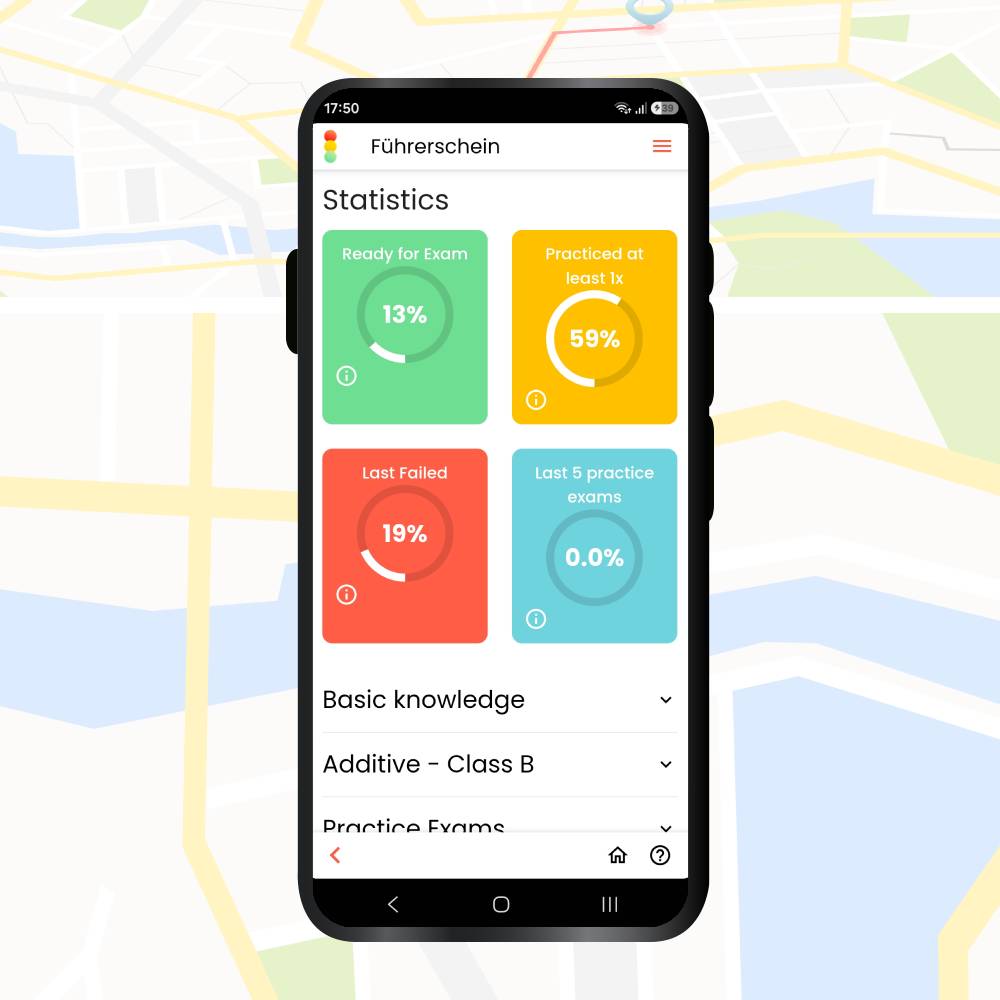
Statistics show your readiness as a percentage:

  • Green (Ready for exam): answered correctly at least twice
  • Yellow: answered correctly once
  • Red (Last failed): answered incorrectly

The aim is as much green as possible, which is what puts you in the “ready for the exam” zone.

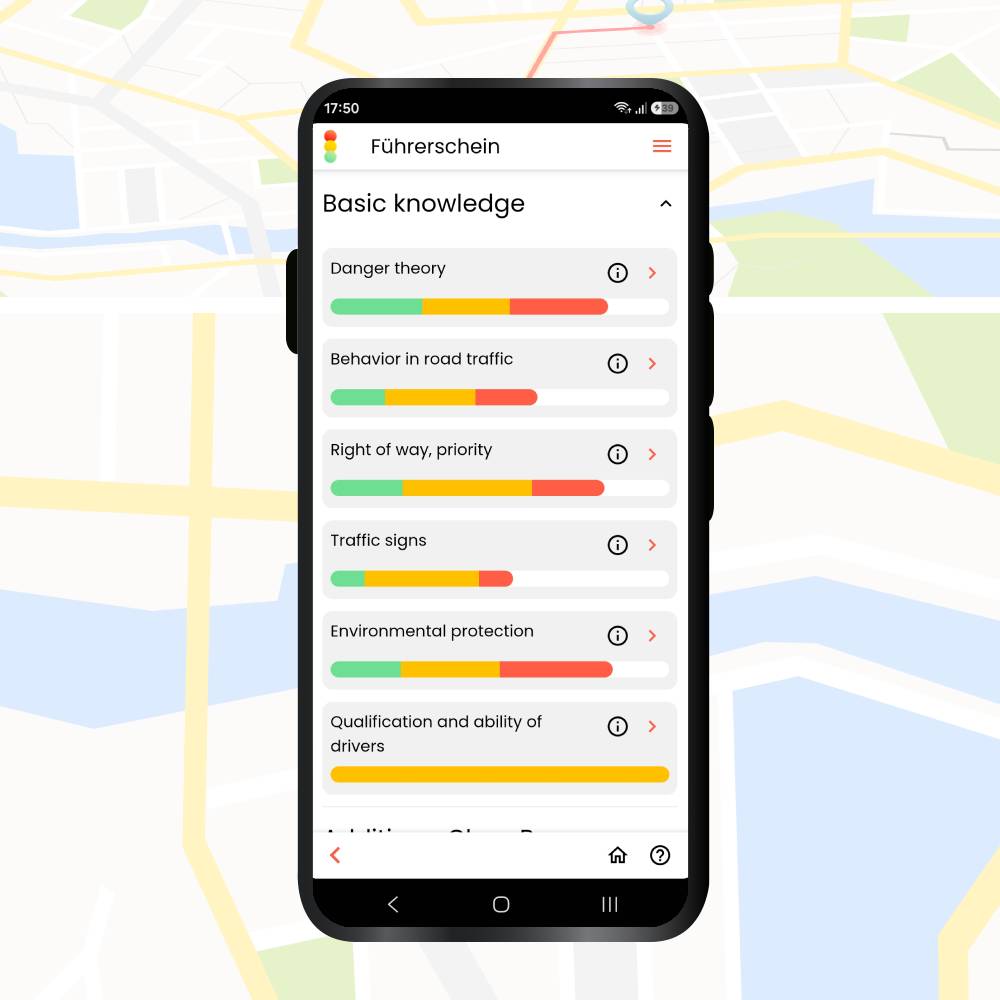
You will also find detailed statistics for each section of the material.

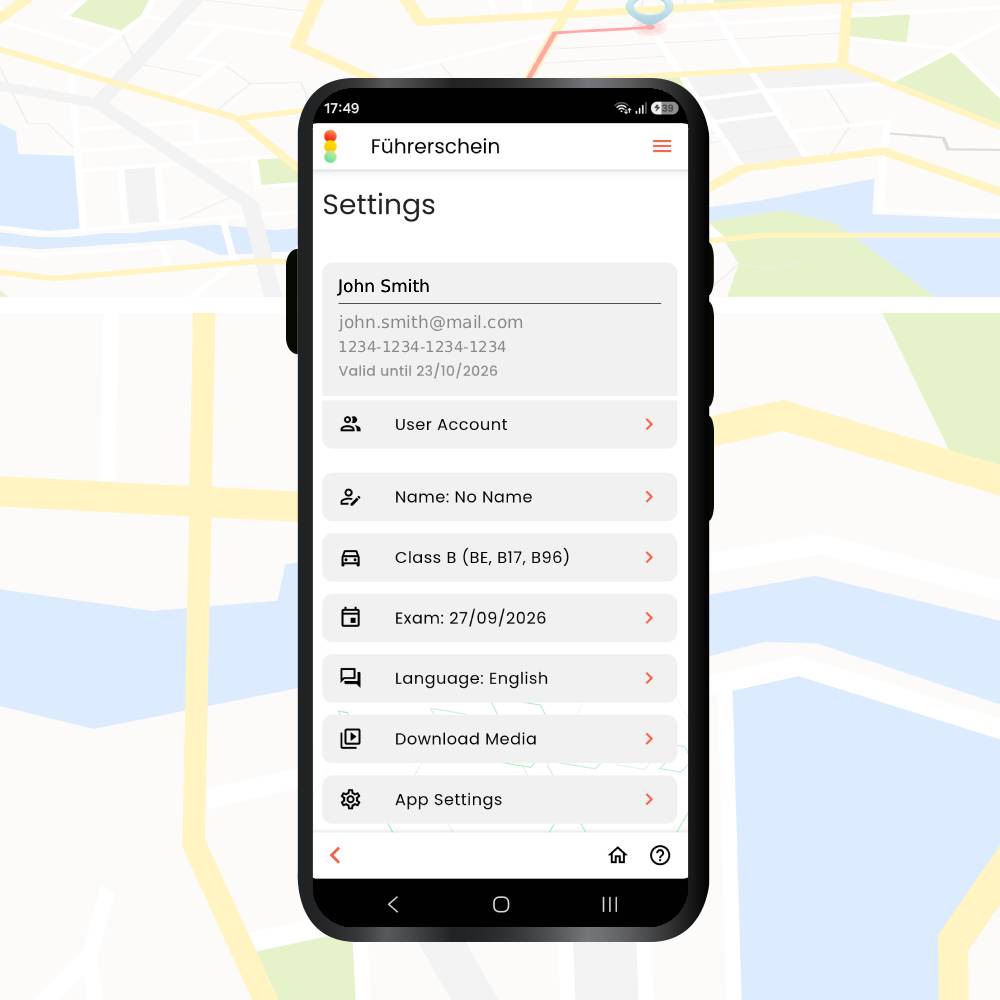
Here you can change how the app behaves. The options are the same as when you first signed in:

  • Choosing your question category, for example class B
  • Selecting the updated question set
  • App settings: vibration, read aloud, dark mode
  • Downloading the videos
  • Changing the app language
  • Setting your name
Theory test driving Germany app - general settings

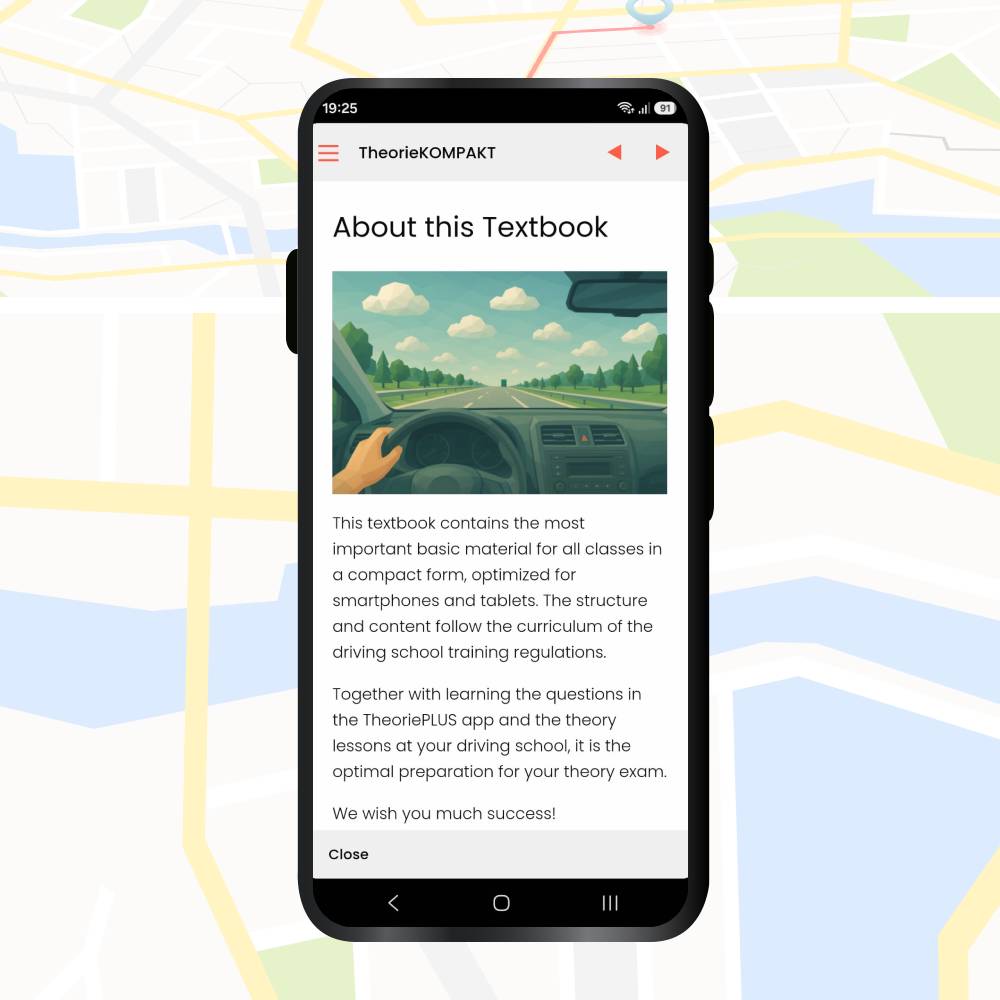
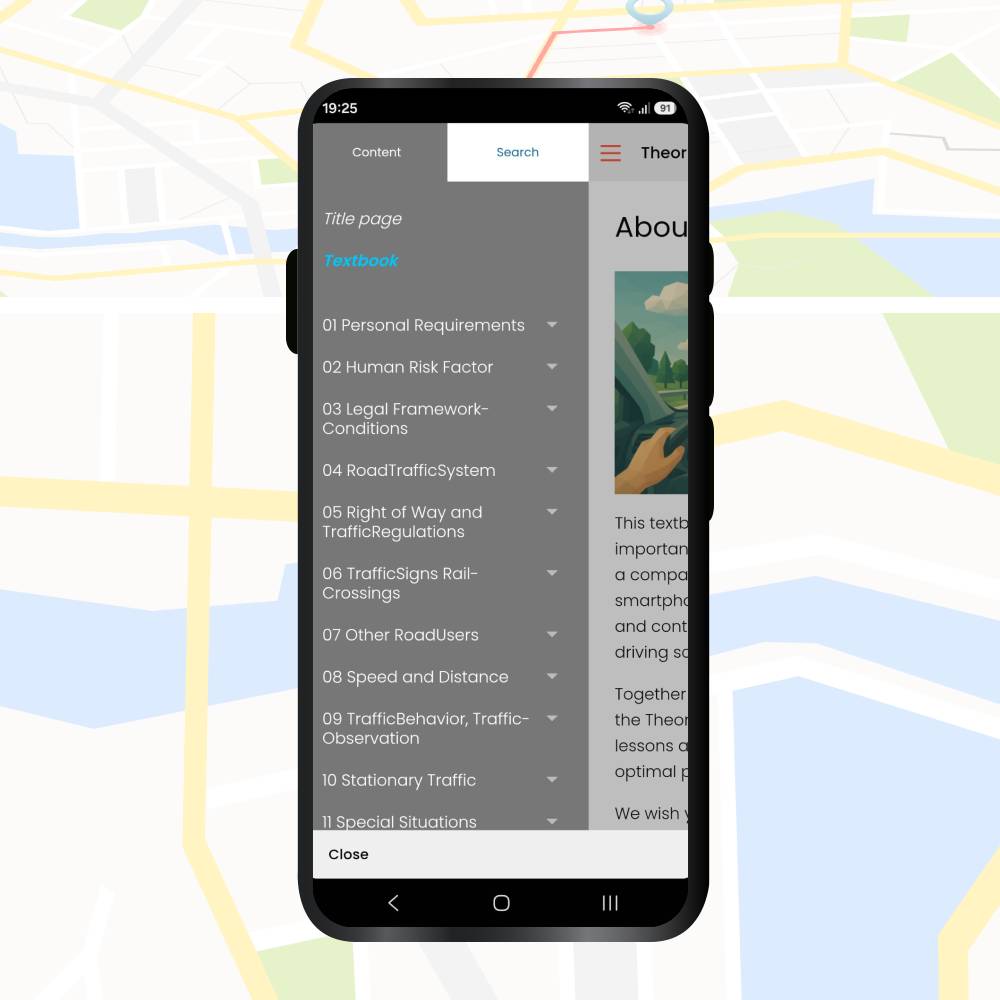
A theory e-book, available in your chosen language. To see the full menu, tap the three lines at the top left.

That is the whole guide. Now it is time to practise and check your progress. Good luck with your theory exam.

Driving License Theory Test in Germany – Class B App (TÜV / DEKRA)

Prepare for your theory test with the integrated app. It includes all current exam questions and practical features such as the exam traffic light, realistic exam simulations, detailed explanations, and learning statistics.

  • ✅ All official exam questions (TÜV / DEKRA)
  • ✅ Explanations for every question
  • ✅ Bonus e-book TheorieKOMPAKT

LEARN MORE
Convert driving license Germany - happy driver

Convert driving license Germany 2026: What applies to you

If you are looking for information about “convert driving license Germany”, the process depends on the country or...

Kosten für eine Fahrstunde – Führerschein Kosten

Cost of driving license in Germany 2026: Full breakdown

In 2026, the total cost of driving license in Germany runs to between €2,700 and €3,500 for category...

Anmeldung für Führerschein

German driver’s license requirements and documents

If you live in Germany and want to drive, the German driver’s license requirements start before your first...